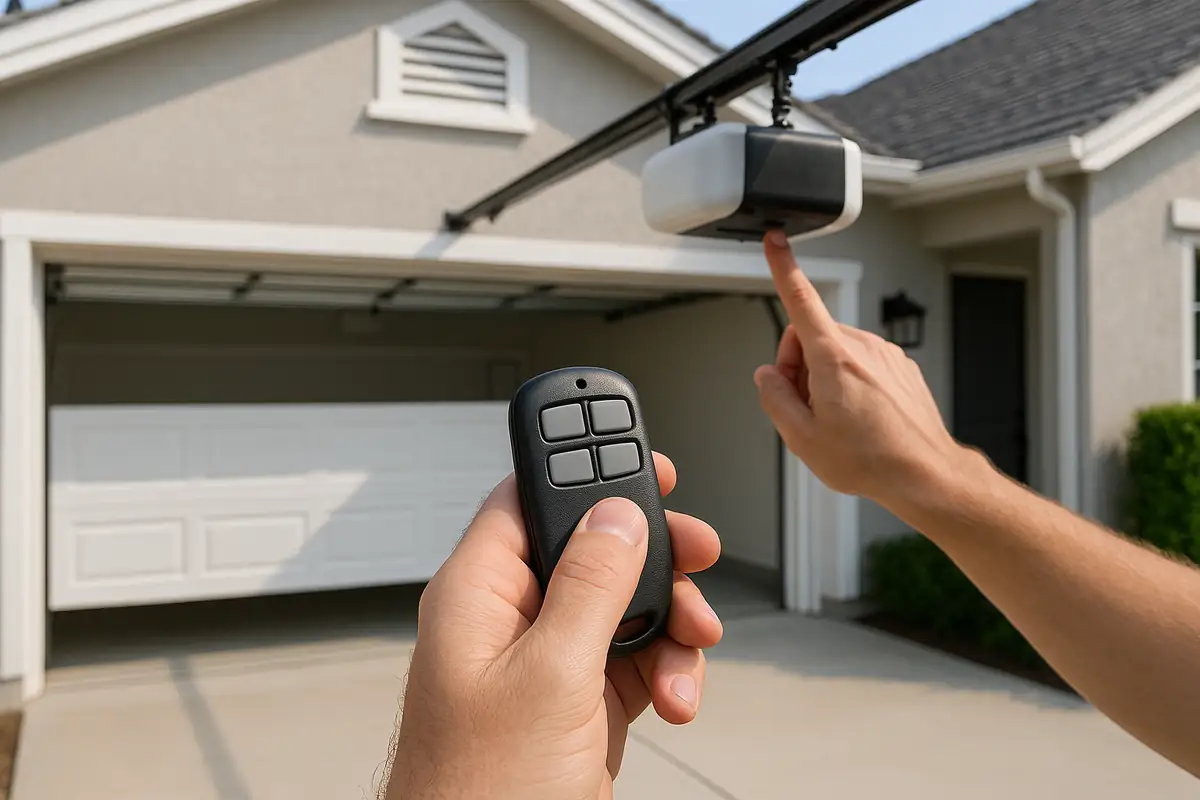

Understanding Your Garage Door Remote
Every modern garage door comes with a remote, allowing you to open and close it without leaving your car. Programming these devices can seem daunting, but with the right guidance, you can master it in no time. In this article, we'll provide a step-by-step guide for programming your garage door remote, ensuring that you can enjoy the convenience it offers.
Why Is Programming Your Garage Door Remote Important?
Programming your garage door remote is essential for several reasons:
- Convenience: Easily access your garage without stepping out of your vehicle.
- Security: Ensure that only authorized users can access your garage.
- Functionality: A properly programmed remote ensures that your garage door operates smoothly.
Common Types of Garage Door Remotes
Before you dive into programming, it's crucial to understand the type of garage door remote you have. Here are some common types:
- Universal Remotes: Can be programmed to work with multiple garage door systems.
- Manufacturer-Specific Remotes: Designed to work with specific brands or models.
- Keypad Remotes: Allows you to enter a code for access, providing an additional layer of security.
Step-by-Step Guide to Programming Your Garage Door Remote
The following steps will help you program your garage door remote. Ensure your garage door system is powered on before you start.
Step 1: Locate the Learn Button
Most garage door openers have a learn button located on the back or side of the motor. It's usually a small, colored button. For safety, ensure the door is closed before proceeding.
Step 2: Press the Learn Button
Press and release the learn button. You should see an LED light turn on or blink, indicating it's in programming mode. This light may stay on for about 30 seconds.
Step 3: Program the Remote
Within the 30-second window, press and hold the button on your remote that you want to use to operate the garage door. If successful, the LED light on the motor will blink or turn off, confirming the programming.
Step 4: Test the Remote
Now it's time to test your newly programmed remote. Stand a safe distance away from your garage door and press the button you have programmed. If the door opens, congratulations! You’ve successfully programmed your remote.
Troubleshooting Tips
If your remote isn’t working, try the following:
- Ensure you are within range of the garage door opener.
- Check the batteries in your remote.
- Revisit the programming steps to ensure you followed them correctly.
- Consult your manufacturer’s instructions for specific troubleshooting steps.
Safety Precautions While Programming Your Remote
When programming your garage door remote, safety should be a priority:
- Keep children and pets away from the garage door while programming.
- Ensure the garage door is closed before you start.
- Don’t attempt to force the garage door open or closed manually while programming.
Additional Features of Modern Garage Door Remotes
Many newer models of garage door remotes come equipped with additional features, enhancing both convenience and security:
- Rolling Code Technology: Changes the access code each time you use the remote to prevent unauthorized access.
- Smartphone Integration: Control your garage door remotely via a mobile app.
- Battery Alerts: Notifies you when the batteries are running low.
Conclusion: Enjoy Hassle-Free Access with Mega Garage Door Repair
Programming your garage door remote doesn’t have to be a complicated task. By following this guide, you can ensure that you have seamless access to your garage in no time. If you encounter issues you can't resolve or need assistance, don’t hesitate to reach out to Mega Garage Door Repair. Our team in Ocala, FL, is ready to help with all your garage door needs, from programming to repairs. Contact us today!
Explore More Resources
Related Articles
Service Areas
We proudly serve Ocala, Ocala Ridge, Maricamp, Montague, Ocala Thoroughbred Acres and more areas.
Our Services
Professional garage door repair, spring repair, opener installation and more. View all services →
Garage Door Installation: What to Expect from Mega Garage Door Repair in Ocala, FL
Essential Seasonal Garage Door Maintenance Checklist for Ocala Residents